









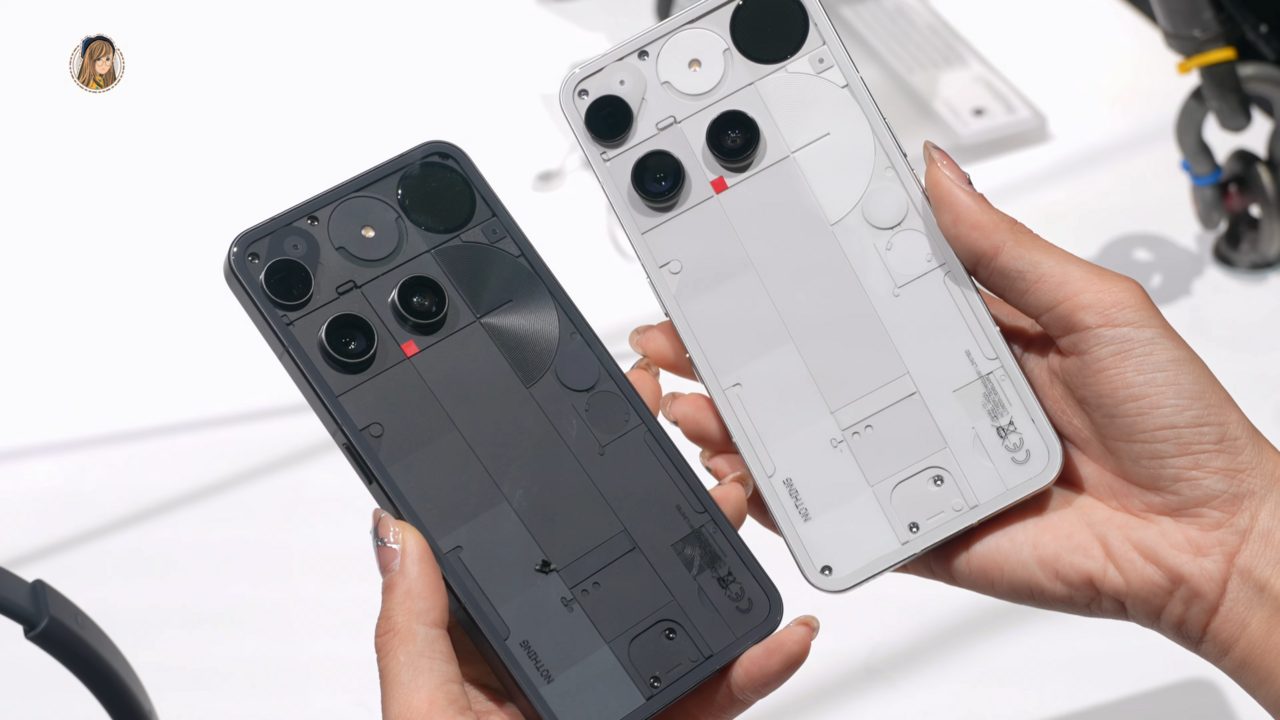
Nothing OS 5.0 update has begun rolling out for the Nothing Phone 3, bringing a host of new features and enhancements that users will appreciate.
Overview of Nothing OS 5.0
The highly anticipated Nothing OS 5.0 update has officially begun rolling out for the Nothing Phone 3, bringing a host of new features and enhancements that aim to elevate user experience. This update builds upon the foundation laid by its predecessors, introducing a refined interface and improved performance.
One of the standout features of Nothing OS 5.0 is its revamped user interface, which includes smoother animations and a more intuitive design. Users can expect an overall more responsive experience, making navigation fluid and enjoyable.
In addition to aesthetic improvements, the update also focuses on system stability and security. Enhanced privacy settings allow users to have better control over their data, ensuring that personal information remains protected in an increasingly digital world.
Furthermore, Nothing OS 5.0 introduces new customization options, allowing users to tailor their devices to their preferences. This includes:
- New themes and color palettes
- Improved widget functionality
- Enhanced app management tools
Overall, the Nothing OS 5.0 update for Phone 3 promises to deliver an improved and personalized user experience, making it a significant upgrade for existing users.
Key Features of the Update
The Nothing OS 5.0 update promises several enhancements that significantly improve the user experience on the Nothing Phone 3. Here are some of the key features that users can look forward to:
- Improved Performance: The update introduces optimizations that enhance the overall speed and responsiveness of the device, making multitasking smoother than ever.
- New User Interface: With a refreshed design, Nothing OS 5.0 brings a more intuitive and modern interface, providing users with easier navigation and access to essential features.
- Enhanced Privacy Controls: Users can now benefit from improved privacy settings, giving them greater control over their personal data and app permissions.
- Advanced Camera Features: The update includes new photography modes and enhancements that allow users to capture stunning images with their Nothing Phone 3.
- Battery Optimization: Battery life has been a significant focus in the Nothing OS 5.0 update, with various tweaks designed to extend usage time without sacrificing performance.
- Widgets and Customization: New customizable widgets are available, enabling users to personalize their home screens according to their preferences.
Overall, the Nothing OS 5.0 update stands out as a substantial upgrade, enhancing the functionality and enjoyment of the Nothing Phone 3.
User Reactions to the Rollout
The rollout of the Nothing OS 5.0 update for the Nothing Phone 3 has generated a wide range of reactions among users. Many have taken to social media platforms to express their thoughts on the new features and improvements that come with the update.
Positive feedback highlights several aspects of the update:
- Performance Enhancements: Users report noticeable improvements in speed and responsiveness, making daily tasks smoother.
- User Interface Changes: The revamped design has received praise for its modern aesthetic, making navigation more intuitive.
- Battery Life: Some users have noticed longer battery life, contributing to an overall better experience.
However, not all feedback has been favorable. Some users have experienced issues that they voiced online:
- Software Bugs: A subset of users reported glitches and crashes after the installation of the update.
- Compatibility Issues: Certain apps are said to be functioning poorly, leading to frustration among users.
- Update Rollout Pace: Some users expressed dissatisfaction with the speed of the rollout, hoping for quicker access to the latest features.
Overall, the reception of the Nothing OS 5.0 update reflects a mixture of optimism and caution as users adapt to the changes.
How to Install Nothing OS 5.0
Installing the Nothing OS 5.0 update on your Nothing Phone 3 is a straightforward process, ensuring that you can enjoy the latest features and enhancements with ease. Follow these steps to get started:
- Backup Your Data: Before proceeding with the update, it’s essential to back up your data. Use the built-in backup feature or any preferred cloud service to ensure your personal information is safe.
- Check for Updates: Navigate to the Settings menu on your phone. Scroll down to System, then tap on System updates. Your device will check for available updates.
- Download the Update: If the Nothing OS 5.0 update appears, tap on Download. Ensure you have a stable Wi-Fi connection to avoid interruptions during the download.
- Install the Update: Once the download is complete, tap on Install. Your phone will reboot, and the installation process will begin automatically.
- Complete the Setup: After installation, go through any on-screen prompts to complete the setup. Your phone should now be running on Nothing OS 5.0.
Enjoy exploring the new features that enhance your user experience on the Nothing Phone 3!
Future Updates for Nothing Phone 3
The future of the Nothing Phone 3 looks promising with the recent rollout of the Nothing OS 5.0 update. As users begin to explore the new features, many are eager to know what further updates are on the horizon. The company has already hinted at a commitment to regular software improvements, ensuring that users receive ongoing support and enhancements.
According to sources, several updates are planned to address minor bugs and optimize performance. Here are some anticipated aspects of future updates:
- Enhanced Camera Features: Users can expect updates that will improve camera performance, including better low-light capabilities and new shooting modes.
- Battery Life Improvements: Future iterations may focus on refining battery management, extending usage time through software optimizations.
- UI Customization: Further updates could introduce more options for users to personalize their interface, building on the unique design of Nothing OS.
- Security Patches: Regular security updates will be a priority to protect user data and enhance device security.
As Nothing continues to evolve its software, the Nothing OS 5.0 update is just the beginning. Users can look forward to a series of enhancements that will make the Nothing Phone 3 even more appealing in the competitive smartphone market.
via Wikimedia Commons